
Exporting and Importing Websites in Dreamweaver
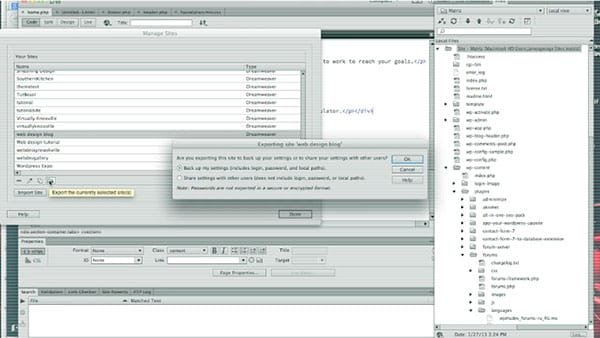
If you work on a team, or you own your own web design company, chances are that you don’t work alone. Even if you’re a freelancer, you still have to hop in and work with others sometimes, and if you use Dreamweaver, it’s really easy! Dreamweaver has a built in import and export feature that will save you a lot of time and frustration. Forget emailing ftp details, usernames and passwords. You don’t have to do all of that with Dreamweaver CC. Actually, this feature has been around for a few versions now, making life easy for a few years. In the video below, I’ll show you how to go about exporting and importing sites in Dreamweaver CC.
It turns out, it really isn’t all that hard. All of your settings are managed within the site manager. With Dreamweaver CC, you have one major window where you can manage all of your site folders. All you have to do to export a site and its settings is click the export button and then choose to keep all of your settings. It’s that easy! Then when the designer goes into Dreamweaver and imports the Ste file, then they will receive all of the ftp information, the username and the password. No fuss, and they’ll be able to log in!
What do you think?
Were you able to successfully import and export your site’s settings? Did you run into any trouble? If you plan on working with others whoa re using Dreamweaver, this is an essential capability that you’ll love. It will save you time and confusion and anyone you hire or work with can get straight to work. If you ran into any trouble, or if you have any questions, feel free to leave them in the comments section below.
I can’t get site imported to local files or ftp to Just Host